Guide · Productivity
Notion AI review 2026: Notion Agent, Custom Agents, AI Meeting Notes, pricing, credits, pros and cons
Our Notion AI review covers Notion Agent, Custom Agents, AI Meeting Notes and Enterprise Search, the Business plan price, the new credit system, pros and cons.

The short answer
Notion AI is the assistant built into the Notion workspace. Notion Agent writes, edits and builds pages and databases, Custom Agents run recurring work on a schedule, and AI Meeting Notes transcribes calls without a bot. It is included only on the Business plan ($20 a member a month billed yearly in the US) and Enterprise, and from late 2026 usage is measured in monthly credits. Free and Plus get only a trial.
Notion AI is not a separate app. It is the assistant built into Notion, the workspace many teams already use for documents, wikis, project boards and databases. That is its biggest strength: it works on the pages and data you already keep there. This review covers what Notion AI does in October 2026, which plan you need, how the new credit system works, and who should pay for it. It is based on Notion’s own product page, pricing page and help center, and we haven’t run extended hands-on tests, so the strengths below are what Notion documents rather than our own measurements.
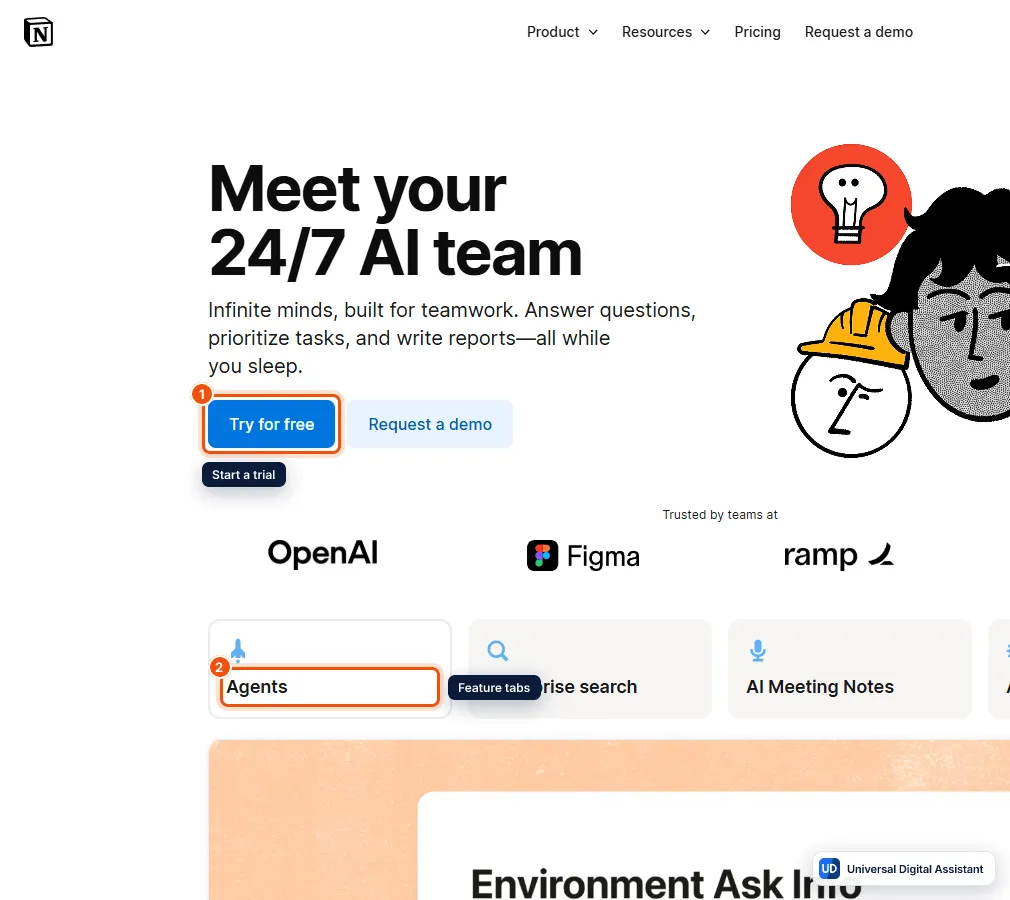
Screenshot: Notion’s AI page, which presents Notion Agent, Enterprise Search and AI Meeting Notes as an AI team. Start a trial (1), or browse each feature from the tabs (2). Captured by Universal Digital Assistant on October 20, 2026.
Notion AI at a glance
| Notion AI | |
|---|---|
| What it is | The AI assistant and agents built into the Notion workspace |
| Main features | Notion Agent, Custom Agents, AI Meeting Notes, Enterprise Search, Research mode |
| Platforms | Web, desktop (macOS and Windows) and mobile apps |
| Free plan | Notion is free, but AI is a limited trial on Free and Plus |
| Paid plan with AI (US) | Business, $20 a member a month billed yearly ($24 monthly) |
| Models | Auto by default; Claude, GPT, Gemini and Grok models available |
| Best for | Teams that already keep their work in Notion |
What Notion AI can do
Notion’s AI page calls it “your 24/7 AI team”. Its help center lists these main parts:
- Notion Agent. The chat assistant that sits in the corner of every page. Notion says “anything you can do in Notion, your Notion Agent can do for you”. It can draft and edit pages, build databases with views and properties, answer questions about your workspace, read uploaded files such as PDFs, spreadsheets and slide decks, and return new files you can download. It has the same permissions you do, so it can’t see pages you can’t see.
- Custom Agents. Agents you set up once to run on a schedule or a trigger, such as a new database entry, and then share with your team. Notion’s examples include weekly reporting, triaging product feedback and answering questions in Slack. They only reach the pages and apps you grant them, and activity logs record what they did.
- AI Meeting Notes. Transcribes a meeting and writes a summary with key points and action items, with citations back to the transcript. Notion says it works “no bot needed”: the desktop app captures your microphone and system audio, so nothing joins the call. You can also upload an existing audio recording.
- Enterprise Search. Searches your workspace plus connected apps such as Slack, Google Drive, GitHub and Microsoft Teams. Notion lists Jira, Box, OneDrive, Salesforce and Asana connectors as beta.
- Research mode. Uses deeper reasoning to write detailed reports from your workspace, connected tools and the web. It is labeled beta on the pricing page.
- Writing and database help. AI blocks, inline editing, page translation, formula writing and Autofill, which fills database properties such as summaries and keywords.
- Connected apps. Notion Agent can connect to Gmail and your calendar, act in Slack as you, and use other apps through MCP servers. Actions such as sending email ask you to confirm first.
- Image generation (beta). Creating and editing images, such as diagrams, on Business and Enterprise, limited to 10 a day and 30 every 30 days per user.
Notion describes itself as “model agnostic”. Its help center lists Claude models, the newest GPT models, Gemini and Grok for Custom Agents, with Auto as the recommended default. The most expensive models are off until an admin turns them on.
For teams, the admin side matters as much as the features. Workspace owners can choose which models members may use, set how many credits each person can spend, turn web search off for the whole workspace, decide who can build Custom Agents, and track usage in a credits dashboard. Notion also lets you give your agent a name and a page of standing instructions, so it writes in your house style and knows your role.
What Notion AI costs
Notion AI is no longer a separate add-on for new customers. It comes with the Business and Enterprise plans. Notion’s pricing page defaults to euros in some countries; the US dollar prices it lists are:
| Free | Plus | Business | Enterprise | |
|---|---|---|---|---|
| Price per member a month | $0 | $10 yearly, $12 monthly | $20 yearly, $24 monthly | Custom |
| Notion Agent | Limited trial | Limited trial | Included | Included |
| AI Meeting Notes | Limited trial | Limited trial | Included | Included |
| Enterprise Search | No | No | Included (beta) | Included |
| Research mode | Limited trial | Limited trial | Included (beta) | Included (beta) |
| Custom Agents | No | No | Needs credits | Needs credits |
| AI data retention at model providers | 30 days | 30 days | 30 days | Zero |
Students and educators can get the Plus plan free with a school email address, but Plus only includes the AI trial.
The new credit system
The part that changes now is how usage is measured. Notion’s help center says new Business and Enterprise workspaces move to a credit system from October 19, 2026, and existing workspaces from November 2, 2026:
- 1,500 Standard credits per member a month cover Notion Agent on Auto, AI editing, translation, AI blocks and formulas, and AI Meeting Notes.
- 500 Select credits per member a month cover Notion Agent when you pick a model yourself, and Custom Agents you run.
- Notion credits are a paid workspace add-on, bought by admins at $10 per 1,000 credits a month, or $13 per 1,000 as an annual pool. They pay for high credit consumption models, Custom Agents funded by the workspace, and, if an admin allows it, extra use after your own credits run out.
Standard and Select credits reset monthly, don’t roll over and can’t be swapped. When one runs out, the features that use it pause until the reset unless your admin lets you draw on Notion credits. Notion says AI Meeting Notes will start using Standard credits on December 1, 2026, at an estimated 10 credits for a one-hour meeting. Database Autofill doesn’t currently reduce your balance, and everyday actions through the Notion API and Notion MCP don’t use credits.
Pros
- Works on your existing content. Notion Agent has your pages, databases and connected apps as context, which a general chatbot doesn’t.
- Agents that act, not just answer. It can build databases, edit pages and run scheduled Custom Agents for the whole team.
- Meeting notes without a bot. Useful if clients or colleagues dislike a notetaker joining calls.
- Choice of models, with Auto as a sensible default and admin control over premium models.
- Clear privacy terms. No training on your data without opt-in, contractual bans on subprocessors training on it, and zero data retention on Enterprise.
Cons
- No real AI on Free or Plus. Individuals and small teams on cheaper plans get only a trial, so the effective price of Notion AI is the Business plan.
- Credits add complexity. Two monthly allowances, a paid workspace pool and different rules per feature take some learning, and Notion says the rules may change again.
- Meeting capture has limits. In a browser or on mobile it only hears your microphone, and speaker labels work best in one-to-one calls on desktop.
- Several key features are beta, including Enterprise Search, Research mode and image generation.
- Value depends on Notion. If your documents live in Google Workspace or Microsoft 365, those suites’ own assistants fit better.
Who should use Notion AI?
Choose Notion AI if your team already runs projects, docs and wikis in Notion and you’re on, or ready to move to, the Business plan. Its advantage is that the agent knows your workspace and can change it directly. If you mostly want a general assistant for writing and research, a standalone subscription is usually better value: see our guides to how to choose an AI assistant, the best AI writing assistants and the Microsoft Copilot review. For meeting notes alone, compare Otter.ai, Granola and the others in our best AI meeting assistants guide, and read AI agents explained for what agents can and can’t safely do.
Frequently asked questions
What is Notion AI?
Notion AI is the AI built into Notion. Its main parts are Notion Agent, a chat assistant that can create and edit pages and databases, Custom Agents that automate recurring work, AI Meeting Notes, Enterprise Search across connected apps, and Research mode for longer reports.
Is Notion AI free?
Not fully. The Free and Plus plans include only a limited trial of Notion AI. The full set of features, including Notion Agent, AI Meeting Notes and Enterprise Search, comes with the Business and Enterprise plans.
How much does Notion AI cost?
Notion AI is included in the Business plan, which Notion's pricing page lists at $20 a member a month billed yearly, or $24 billed monthly, in the US. Enterprise is priced by quote. Custom Agents and high credit consumption models need Notion credits, at $10 per 1,000 credits a month.
What are Standard and Select credits?
They are Notion's new monthly AI allowances. Each Business or Enterprise member gets 1,500 Standard credits for features like Notion Agent on Auto, AI editing and meeting notes, and 500 Select credits for picking a model yourself and running Custom Agents. They reset monthly and don't roll over.
Does Notion AI Meeting Notes join my call as a bot?
No. AI Meeting Notes records from the Notion desktop app using your microphone and system audio, so no bot joins the call. In a browser or on mobile it only hears your microphone, which suits in-person meetings better. You confirm that everyone has consented before recording.
Which AI models does Notion AI use?
Notion says it is model agnostic. Its help center lists Claude, the newest GPT models, Gemini and Grok for Custom Agents, with Auto as the default. Premium, high credit consumption models stay off until an admin turns them on.
Does Notion train AI on my data?
Notion says Notion AI will not use your data to train its models unless you opt in, and that its contracts with AI subprocessors prohibit training on customer data. Enterprise workspaces get zero data retention with the model providers; other plans have 30-day retention.
Sources
Product facts are checked against the vendor's own announcements and documentation.
- Notion pricing — Notionhttps://www.notion.com/pricing
- Meet your 24/7 AI team — Notionhttps://www.notion.com/product/ai
- Standard, Select & Notion credits: eligible features — Notion Help Centerhttps://www.notion.com/help/standard-select-and-notion-credits-eligible-features
- What are Notion credits? — Notion Help Centerhttps://www.notion.com/help/what-are-notion-credits
- Get started with Notion Agent — Notion Help Centerhttps://www.notion.com/help/notion-agent
- Take AI meeting notes in Notion — Notion Help Centerhttps://www.notion.com/help/ai-meeting-notes


